
Working with physical quantities and units of measure in software can be error-prone. Mixing up units (adding meters to seconds, or treating kilograms as pounds) leads to bugs that are often hard to catch until runtime—or worse, in production logic.
ts-units solves this by leveraging TypeScript’s type system to ensure correctness at compile time. It treats units not just as numbers, but as quantities with dimensions. This ensures that:
- You cannot add incompatible units (e.g., Length + Time is a compile-time error).
- Operations produce the correct derived units (e.g., Length / Time automatically becomes Speed).
- Conversions are handled safely and explicitly.
This library is helpful for engineers and developers working on scientific, engineering, or simulation software who need to guarantee dimensional consistency in their calculations.
How it Works
The library is built around a core Quantity class that tracks both a numerical value and a Dimension Signature.
Dimensions & Units
A Dimension (like Length, Time, Mass) is defined by a signature. A Unit (like meter, second, kilogram) is a specific scale for that dimension.
When you create a quantity, you are instantiating the Quantity class with a specific unit. The TypeScript compiler tracks the dimensions of this quantity via a generic type parameter.
Arithmetic & Type Safety
The library provides methods for add, subtract, multiply, and divide.
- Add/Subtract: Require both operands to have the exact same dimension signature.
- Multiply/Divide: combining dimensions (e.g.,
Length*Length=Area) is calculated at the type level, so the result is typed correctly.
Examples
1. Basic Quantity Creation
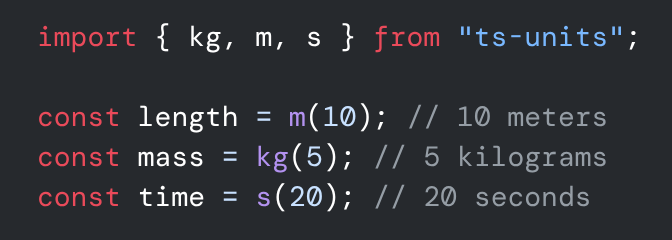
You can create quantities using the exported factory functions.
import { kg, m, s } from "ts-units";

const length = m(10); // 10 meters
const mass = kg(5); // 5 kilograms
const time = s(20); // 20 seconds2. Type-Safe Arithmetic
Operations are checked by TypeScript.
<code>import { m, s } from "ts-units";

const d1 = m(100);
const d2 = m(50);

// Safe addition
const totalDistance = d1.add(d2); // 150 m

// Type Error: Argument of type 'Time' is not assignable to parameter of type 'Quantity<{ Length: 1; }>'
// const invalid = d1.add(s(10));</code>3. Derived Units (Complex Calculations)
The library automatically infers complex unit types like Speed, Area, and Force.
import { Force, kg, m, s, Speed } from "ts-units";

const distance = m(100);
const time = s(5);

// Division creates Speed (Length / Time)
const speed: Speed = distance.divide(time);
console.log(speed.toString()); // "20 m/s" (derived or base unit representation)

// Force = Mass * Acceleration
const acc = speed.divide(time); // Acceleration (Length / Time^2)
const mass = kg(10);

const force: Force = mass.multiply(acc);
console.log(force.toString()); // "40 kg.m/s^2" (or "40 N" if standard units are used)4. Unit Conversions
You can convert between compatible units using .convertTo().
import { ft, km, m } from "ts-units";

const len = m(1000);

const asKm = len.convertTo("km");
console.log(asKm.value); // 1

const asFeet = len.convertTo("ft");
console.log(asFeet.value); // 3280.84...5. Interoperability
You can access the raw number value or serialize the object.
import { m } from "./src/index.ts";

const dist = m(10);

console.log(dist.value); // 10
console.log(dist.unitSymbol); // "m"
console.log(dist.toJSON()); // { value: 10, unit: "m" }Supported Dimensions
- Length (m, km, ft, mi, etc.)
- Mass (kg, g, lb, ton, etc.)
- Time (s, min, hr, day, etc.)
- Electric Current (A, mA, etc.)
- Temperature (K, degC, degF, etc.)
- Amount of Substance (mol)
- Luminous Intensity (cd)
Use it in your project
NPM (Node.js)
npm install @eng-tools/ts-unitsDeno
deno add jsr:@eng-tools/ts-unitsOr import directly:
import { Length, m } from "https://deno.land/x/ts_units/mod.ts";